
HVAC branding is how customers remember you between calls. It is your name, your logo, your colors and the way your trucks, cards and website look. When it all matches, people know it is you when they see it again.
You do not need a big budget to build a brand people remember. You need a name you can keep, a simple logo and two or three colors. A short slogan is optional. Then you use the exact same name, logo and phone number everywhere.
This guide walks through each step in order. It also shows how to check a name with your state and the federal trademark office. Do that before you pay for vans and signs.
Key takeaways
- An HVAC brand is your name, logo and colors, plus a slogan if you want one, used the same way every time.
- Check a new name with your state and run a federal trademark search before you print anything.
- A good HVAC logo is simple, easy to read from a distance and still works in one color.
- Your Google Business Profile name should match your real business name, with no added keywords or city.
- One page that lists your name, logo files, colors and phone keeps every printer and designer on the same page.
Step 1: Pick or check your HVAC company name
Your name is the part of your brand you will live with the longest. A new logo is easy to change. A new name means new vans, new cards, new signs and a new listing everywhere.
If you already have a name that customers know, keep it unless there is a real problem. If you are starting fresh, or your current name causes confusion, use the checks below.
What makes a good HVAC company name
- Easy to say and spell. A customer should be able to hear it once and type it into Google.
- Clear about the work. Words like heating, air, cooling or comfort tell people what you do.
- Room to grow. A name tied to one small town can feel wrong when you grow.
- Yours alone. It should not sound like a competitor down the road.
Common patterns are a family name plus “Heating and Air,” or initials plus a service word. Some owners use a regional word plus “Comfort” or “Mechanical.” Whatever you pick, the checks below matter more than the clever part.
Check the name with your state
Your state registers business names. The SBA guide to choosing a business name says most states will not register a name someone else holds. Rules differ, so check with your state before you file.
The same SBA guide says a state entity name protects you at the state level. A trademark can protect your name at a national level. It also says registering a DBA, or “doing business as” name, does not give legal protection by itself.
Run a federal trademark search
The U.S. Patent and Trademark Office has a trademark search system on its website. Search your name, close spellings and names that sound alike.
Look past exact matches. The USPTO page on likelihood of confusion says marks do not have to be identical to be confusingly similar. They can be similar in sound, look or meaning, and the services can be related.
The USPTO also explains why to search for similar trademarks before you apply. Its examiners check only the federal database. Searching state trademark databases and the internet is up to you.
This is not legal advice. The USPTO strongly encourages hiring a trademark attorney for a full clearance search. Before a name goes on a fleet of trucks, a short talk with an attorney is worth the time.
Check the web address and social handles
Look for a web address that matches your name or comes close. The SBA guide notes your domain does not have to match your legal name exactly. Still, a close match is easier for customers to remember.
Check the same name on Facebook and Instagram, and grab the handles now.
Step 2: Get an HVAC logo that works on a van and a card
Your HVAC logo has a hard job. It has to read on a van from across the street. It also has to work on a card and as a tiny phone icon. Fancy details get lost at every one of those sizes.
We do not design logos, but we see a lot of them on profiles and websites. The ones that hold up tend to follow a few simple rules.
- Keep it simple. One shape and your name. If it takes a minute to explain, it is too busy.
- Make the name easy to read. Use a bold, plain font. Script fonts and thin letters get hard to read on a moving truck.
- Test it small. Shrink it to the size of a phone app icon. If you cannot tell what it is, simplify.
- Test it in one color. Print it in plain black. It should still work on an invoice, a paper form or a one-color shirt.
- Skip effects. Gradients, shadows and photos inside a logo often print poorly on vans and shirts.
Ask your designer for a few versions: full color, one color and all white for dark backgrounds. Get a horizontal version for vans and websites, and a square version for profile pictures.
Get the right files and the rights
Ask for vector files, such as SVG, EPS or PDF. Wrap shops and printers need them to keep edges sharp at large sizes. Also ask for PNG files for your website and social profiles.
Make sure you own the final logo. Ask your designer, in writing, to transfer the rights and hand over the source files. If you are unsure what the contract should say, ask your attorney.

Step 3: Choose two or three brand colors
Pick one main color and one or two support colors. That is enough for vans, shirts, cards and a website. More colors make every print job harder to match.
You will see a lot of blue, red and orange on HVAC trucks. There is no single right answer. What matters is that customers see the same colors on trucks, shirts and screens every time.
- Check contrast. Your name should be easy to read on your main color, in sun and at dusk.
- Look around your market. If three competitors already use the same blue, a different color can help you stand out.
- Write down the codes. Get the hex code for screens and the print codes, such as CMYK or Pantone.
Step 4: Write a short slogan, or skip it
A slogan is optional. A good one is short, plain and true. It tells people what you do or what they can count on from you.
- Keep it to a few words that fit under your logo on a van.
- Say something you can back up on every call, like how you show up or how you treat a home.
- Skip claims like “best” or “number one” that you cannot prove.
- Test it out loud. If your techs would feel silly saying it, rewrite it.
A useful pattern is a promise plus a reason. Think of a plain line about showing up on time or explaining the price first. Keep it on your vans, cards and website. Keep it out of your Google Business Profile name, as the next step explains.
Step 5: Use the same name, logo and phone everywhere
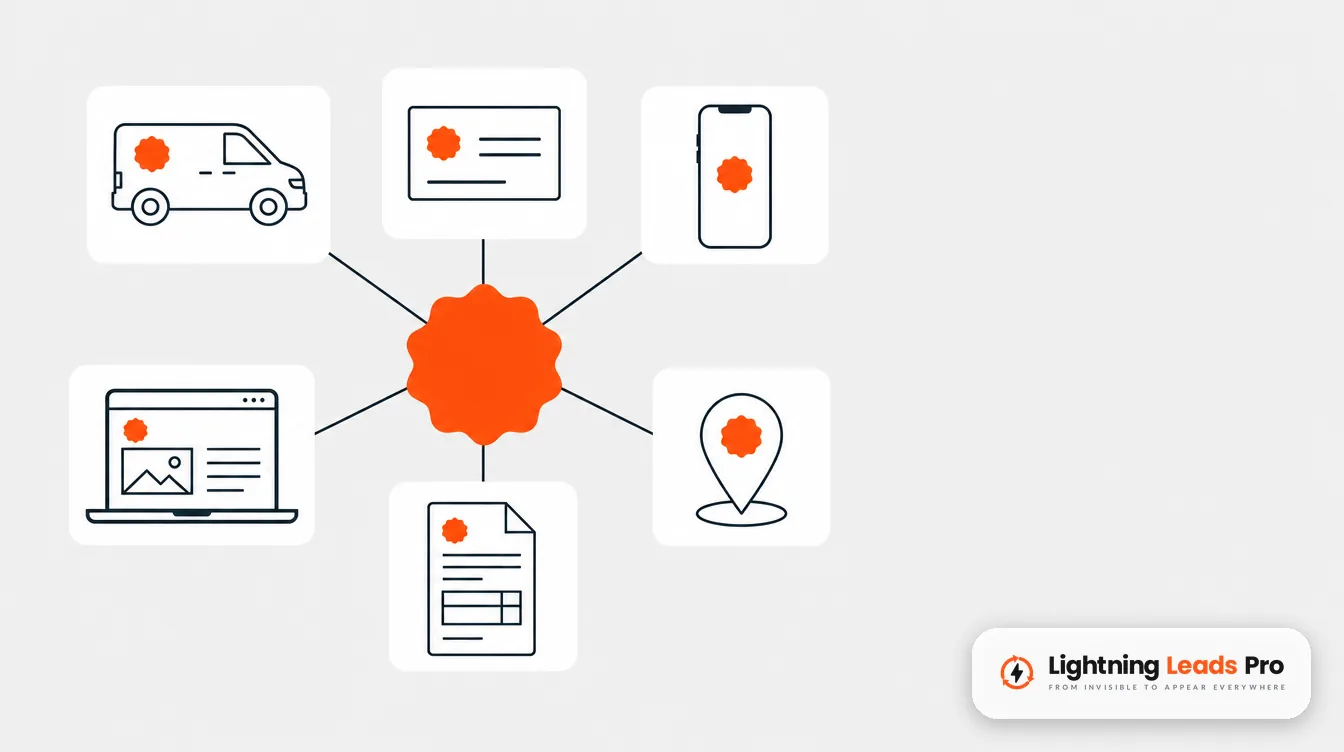
This is the step most HVAC companies skip. The name on the van says one thing, the invoice says another and the Google listing says a third. A customer who sees all three may not be sure they are the same company.
Use the exact same name, logo, phone number and website on every piece. Pick one main phone number and print it everywhere. Then go through each place customers see you.
| Where | What to check |
|---|---|
| Google Business Profile | Real business name only, the main phone number, your website, your logo and cover photo |
| Website | Same name, logo, colors and phone in the header and footer |
| Vans and trucks | Name, logo, phone and website large enough to read from the street |
| Business cards | Same name and phone as the profile, plus your website |
| Invoices, quotes and emails | Same logo, name and phone at the top of every page and signature |
| Uniforms and yard signs | Logo and colors that match the trucks |
Your Google Business Profile name
Google’s guidelines for representing your business say your name should reflect your real-world name. That is the name used on your storefront, website and stationery.
The same page says adding unnecessary information to your name is not permitted and could lead to a suspended profile. Its examples rule out marketing taglines, location details, phone numbers and web addresses in the name field. So no slogan, and no city unless it is part of your real name. Your address, service area and categories go in their own fields.
Those guidelines also ask for a phone number under your direct control. They prefer a local number over a central call center line. That fits the one-number rule above. Our Google Business Profile management team keeps your hours, service areas and contact details accurate.
Your trucks and cards
Your vans are the biggest place your brand shows up. Our HVAC van wrap guide covers what goes on a wrap and how to check the proof. Cards follow the same rules on a small scale. Our guide to HVAC business cards covers what to print and how techs use them.
Your website
Your website should look like your trucks. Use the same logo in the header and the same colors on buttons. Put the same phone number at the top of every page. Our website design service builds sites for HVAC companies, with one tap to call or text on every page.
This video walks through what we look for when we design a website for an HVAC company.
Not sure your name and phone match everywhere customers look you up? Book a Free Local Lead Growth Session and we will show you what we find.
Step 6: Write it all down on a one-page brand sheet
A brand sheet is one page that holds your brand rules. Send it to every printer, wrap shop, web designer and new office hire. It keeps everyone from guessing.
- Your exact business name, spelled the way it appears on your Google Business Profile
- Your main phone number and website address
- Logo files: full color, one color and white, in vector and PNG
- Your color codes for screen and print
- Your font names and where to find the shared folder of logo files
- Your slogan, if you have one
- Two or three photos of your vans and uniforms done right
Review the sheet once a year. If you change a phone number or add a service area, update the sheet first. Then update the profile, website, trucks and cards to match.
Frequently asked questions
How do I choose a name for my HVAC company?
Pick a name that is easy to say and spell, tells people what you do and leaves room to grow. Then check it with your state and run a USPTO trademark search. Look for a matching web address before you print anything.
Do I need to trademark my HVAC company name?
The SBA says a state name protects you at the state level, and a trademark can protect it nationally. A trademark attorney can tell you whether filing makes sense for you.
What makes a good HVAC logo?
A simple shape, a bold readable name and a design that still works small and in one color. Test it on a phone screen and in plain black before you approve it.
Can I add my city or a keyword to my Google Business Profile name?
Not unless it is part of your real-world name. Google’s guidelines say your name should match your real-world name and that adding extra information is not permitted. Put your area and services in the address, service area and category fields.
What colors should an HVAC company use?
You will see a lot of blue, red and orange in HVAC, but there is no single right choice. Pick one main color and one or two support colors. Check that your name reads clearly on them, then use them everywhere.
Keep your HVAC branding the same everywhere
HVAC branding comes down to a few choices made once and then used the same way every time. Check the name, keep the logo simple, pick your colors and write it all on one sheet.
The hard part is keeping every place in line, from the van to the Google listing. Want to see how your company shows up when a homeowner searches your name? Book a Free Local Lead Growth Session and we will walk you through it.