An HVAC CRM keeps track of every person who calls, fills out a form or sends a text. A good one gives each of them a fast reply. Then it follows up until the job is booked or the lead says no. A weak one is just a list of names nobody looks at.
Many owners start by comparing feature lists. That is the wrong place to start. Start with one question: when a new lead comes in at 6:40 on a Friday night, what happens next?
This guide shows you how to answer that question before you buy. You will see how a lead CRM differs from field service software. You will also get the features that matter, the questions to ask and the red flags.
What an HVAC CRM does, and what it does not do
CRM stands for customer relationship management. For an HVAC company, it is the place where every lead and customer lives. It holds their name, phone number, the messages you traded and where the job stands.
The real job of a CRM is follow-up. It makes sure no caller slips through the cracks. It reminds your office who needs a call back. It sends texts on a schedule and shows which leads are still open.
A CRM does not create demand. It cannot make your phone ring if people cannot find you. We cover that gap in our guide to software vs. done-for-you marketing for contractors. Think of the CRM as the net. Your marketing still has to bring the fish.
Lead CRM vs. field service software: two different jobs
This is where many HVAC owners get confused. The word CRM gets used for two kinds of software that do very different work.
Field service management software runs the work after a job is booked. It handles dispatch, the schedule board, technician apps, estimates, invoices, payments and service agreements. Many of these tools call themselves a CRM because they store customer records.
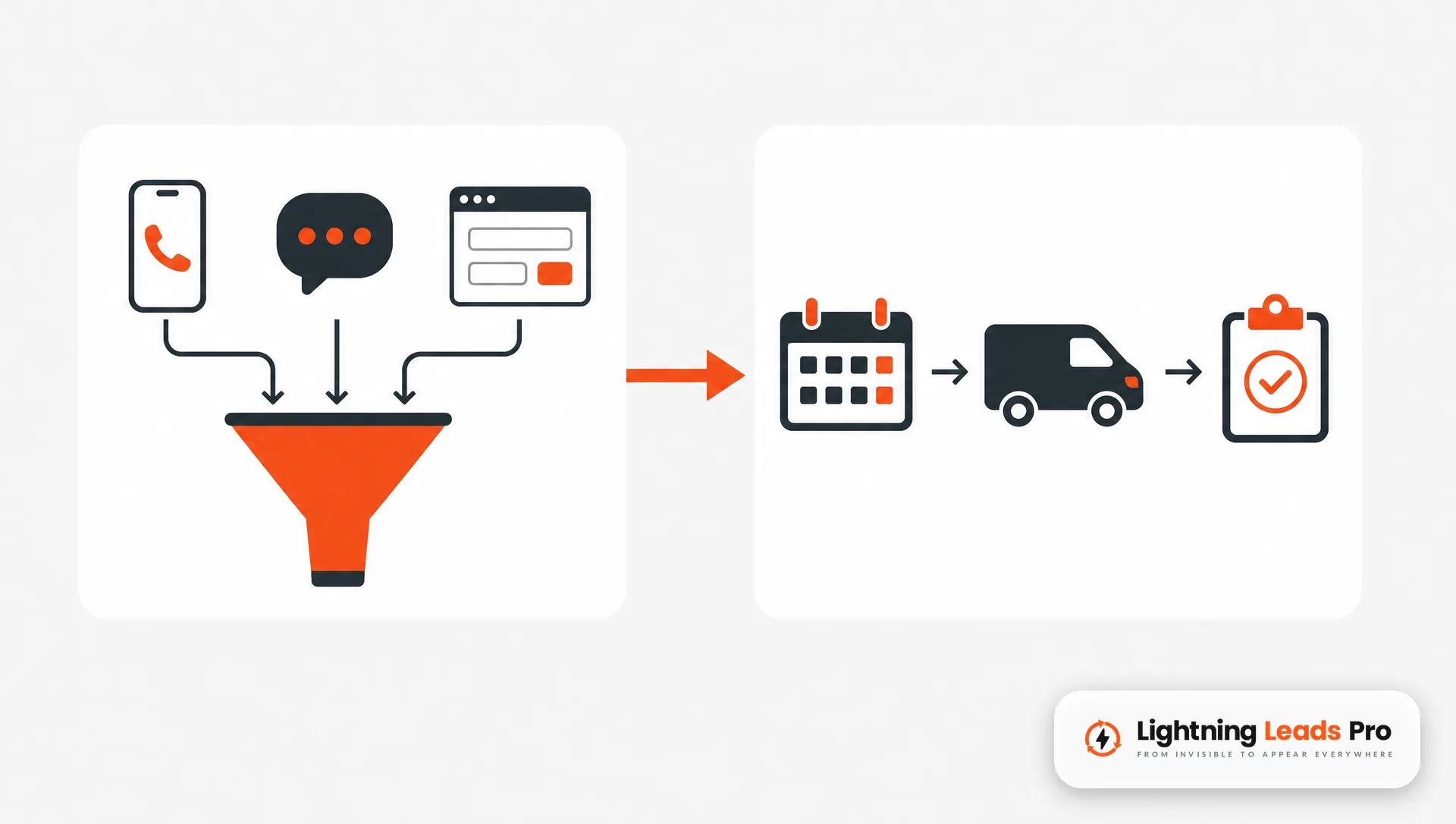
A marketing or lead CRM runs the work before a job is booked. It catches the call, the web form, the Facebook message and the text. Then it replies, follows up and moves the lead toward a booked appointment.
Some platforms try to do both. Some do one well and the other poorly. Here is a simple way to sort them out:
- Before the booking: missed call text back, instant form replies, one inbox, a sales pipeline, follow-up sequences.
- After the booking: dispatch, routes, job notes, estimates, invoices, payments, maintenance agreements.
- After the job: review requests, maintenance reminders, seasonal tune-up messages to past customers.
If your field service tool already runs the after-booking work well, you may not need to replace it. You may need a lead CRM that sits in front of it. The two should share customer data so your office does not type everything twice.
HVAC CRM features that turn leads into booked jobs
You do not need every feature on the pricing page. You need the ones that close the gap between a ringing phone and a booked call. These are the ones worth paying for.
Speed to lead
The CRM should reply to every new form or text within seconds, day or night. A homeowner with no heat may call the next company on the list if nobody answers. A fast, useful reply keeps the conversation with you. Our post on why lead response time matters for home services goes deeper on this.
Missed call text back
Your techs are on roofs and in attics. Your office cannot catch every call. A missed call text back sends a short text the moment a call goes unanswered. It tells the caller you saw the call and asks what they need.
One inbox for every channel
Calls, texts, web forms, Facebook messages and emails should land in one place. If your office has to check four apps, leads get missed. One inbox also shows the full history when a customer calls back.
A pipeline you can read at a glance
A pipeline shows every open lead by stage, such as new, contacted, estimate sent and booked. You should be able to look at it for ten seconds and know who needs a call today. If it takes longer, nobody will use it.
Follow-up that runs on its own
Not every replacement estimate closes on the first visit. The CRM should send a short series of follow-up texts and emails. It stops when the customer says yes, says no or asks you to stop. Your office should not have to remember who to chase.
Review requests after every job
When a job closes, the CRM should send a review request with a direct link. Ask every customer, not only the happy ones. Google’s policy for reviews on Maps says businesses must not selectively solicit positive reviews or offer incentives for reviews.
Reporting by lead source
You should be able to see where each booked job came from. That means Google, your website, Facebook, a referral or a yard sign. Tracked links help here. Google explains that campaign parameters added to your links show which campaigns send traffic. Without lead source data, you cannot tell which marketing to keep and which to cut.
Questions to ask before you buy an HVAC CRM
Sales demos are built to impress. Bring your own questions and ask the rep to show you the answer on screen. Do not accept a promise that a feature is coming soon.
- Walk me through a missed call at 7 PM. What does the caller get, and how fast?
- Where do web forms, texts and social messages land? Show me the inbox.
- How does a lead move through the pipeline? Does it move on its own when something happens, or does my office drag it?
- Does it connect to the field service software we use now? What data passes between them, and which way?
- How does it handle text consent and opt-out replies? Ask how STOP replies are recorded and honored.
- Can I see booked jobs by lead source? Ask to see the report, not a slide about it.
- Who sets it up? Will someone build the follow-up messages, or will you get a login and a help center?
- Who owns the data if I leave? Can you export contacts, conversations and notes?
- How does it work on a phone? Ask to see the mobile app your office and techs will use in the field.
Write the answers down for each option. After two or three demos, the differences become clear. The best fit is often the one your office will actually open every morning.

Red flags to watch for
Some warning signs show up in the demo. Others show up three months later when nobody uses the system. Watch for these:
- No real answer on missed calls. If the rep cannot show what happens to an unanswered call, the system will not protect your leads.
- Follow-up you have to build from scratch. Templates you must write yourself often never get written.
- Separate apps for calls, texts and forms. Split inboxes mean split attention and lost leads.
- No lead source reporting. You will keep paying for marketing without knowing what works.
- Long contracts with no trial or exit. Ask about the cancellation terms before you sign.
- Hard to get your data out. If export is unclear, your customer list is hostage.
- Review tools that filter unhappy customers. Any feature that only sends review links to happy customers goes against Google’s review policy.
One more flag is internal. If no one on your team owns the CRM, it will fail. Pick one person who checks the pipeline every day and keeps it clean.
How to roll out a new HVAC CRM so your team uses it
The best software fails when the team ignores it. Many CRM problems are really setup problems. Keep the first month simple.
- Connect every lead source first. Your phone line, website forms, Facebook messages and booking links should all feed the CRM.
- Turn on the instant replies. Set the missed call text back and the form auto-reply before anything else.
- Build one pipeline with five or six stages. Keep the stage names plain so everyone understands them.
- Load your past customers. They are your best source of tune-ups and replacements.
- Set the review request to send after each completed job. Send it to every customer.
- Check the lead source report every week. Compare booked jobs to what you spend on each channel.
Heating season is a good time to start. Calls often pick up when the first cold nights hit. Planning your fall push? Our heating season marketing ideas pair well with a CRM that catches the extra calls.
Where AI fits in your HVAC CRM
Some CRMs now include AI tools that text with a lead and answer common questions. Some can also offer open times on your calendar. Used well, AI covers the hours your office cannot. It replies at 11 PM when a homeowner’s furnace quits.
AI works best with clear guardrails. You approve what it says, what it offers and when it hands off to a person. You should be able to read every conversation and step in at any time. Our post on automated customer service for contractors covers how to set those limits.
Ask any vendor to show you a real AI conversation from start to booking. If it cannot book on your calendar or hand off cleanly, it is a chatbot, not a follow-up system.
Frequently asked questions
What does CRM stand for in HVAC?
CRM stands for customer relationship management. In an HVAC business, it is the software that tracks every lead and customer. It also holds your messages and where each job stands.
What CRM do HVAC companies use?
Many HVAC companies use two kinds of tools. Field service software runs dispatch, invoices and service agreements. A lead CRM handles replies and follow-up before the job is booked. Some platforms combine both, so compare them against your own process.
Do I need a CRM if I already have field service software?
Check how your current tool handles missed calls, web forms and follow-up texts. If it does those well, you may not need another system. If leads still slip through before the booking, add a lead CRM. Connect it to your field service tool to fill that gap.
Is a free CRM good enough for a small HVAC business?
A free CRM can store contacts. Check whether the plan includes the parts that win jobs. That means missed call text back, automated follow-up and lead source reporting. Judge any CRM by what happens to a lead you miss, not by its price.
How long does it take to set up an HVAC CRM?
It depends on how many lead sources you connect and who builds the follow-up messages. Ask each vendor for a clear setup plan and who does each step. Start with instant replies and one pipeline, then add more.
Get every call, form and text followed up
The right HVAC CRM replies fast and follows up without reminders. It also shows you where your booked jobs come from. Everything else is extra.
Lightning Leads Pro sets up AI automation for HVAC companies. It replies to calls, texts and forms within seconds and books jobs on your calendar. You approve the tone, answers and offers before anything goes live. If you want to see where leads slip through today, Book a Free Local Lead Growth Session.